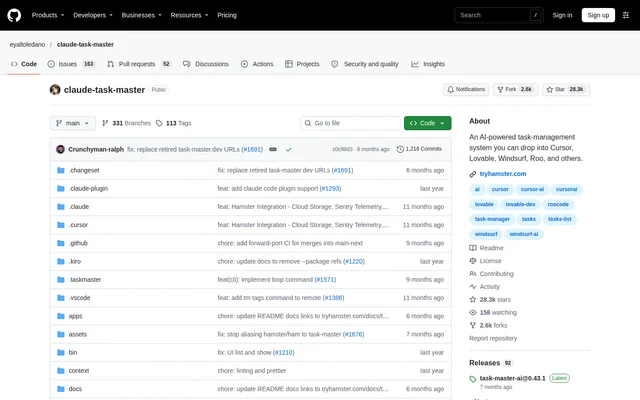
What is Taskmaster?
Taskmaster is an open-source task management system for AI-driven development, designed to work with AI chat and coding environments. Taskmaster helps developers organize implementation work around requirements, tasks and next steps. The repository names Cursor, Lovable, Windsurf and Roo among the environments where the system can be used.
Taskmaster combines task planning with access to AI models rather than presenting only a standalone task list. Developers can use their editor’s AI chat to parse requirements, request help implementing a task or expand an existing task. The documentation also provides a command-line route for managing the same development workflow.
What Taskmaster can do
Taskmaster provides commands for generating and managing development tasks, alongside research that can use project context. Taskmaster also exposes configuration choices for model selection and MCP tool loading. These capabilities let developers choose between a broader tool set and a smaller selection of tools for everyday task management.
- Taskmaster generates tasks by parsing a product requirements document.
- Taskmaster lists tasks and shows selected task details.
- Taskmaster identifies the next task to work on.
- Taskmaster expands tasks through AI chat.
- Taskmaster researches technical questions with project context.
- Taskmaster moves tasks between tags with dependency options.
- Taskmaster supports main, research and fallback model roles.
- Taskmaster loads all, standard, core or custom MCP tool sets.
How Taskmaster works
Taskmaster can run as an MCP server connected to an editor or as a command-line tool installed globally or locally with npm. Taskmaster provides MCP configuration examples for Cursor, Windsurf, VS Code and Q Developer CLI, plus a quick-install command for Claude Code. Editor configuration includes the server command and relevant provider credentials.
Taskmaster projects begin with initialization, which creates the necessary files and structure. Developers can then provide a product requirements document and ask the AI assistant to parse it. A PRD template is available after initialization, while individual tasks can also be created by describing the desired implementation directly in chat.
Who Taskmaster is for
Taskmaster is intended for developers using AI assistants to plan and carry out software development work. Taskmaster supports both new projects with a requirements document and existing projects that need task organization. The documented workflows cover implementation planning, task inspection, task expansion and technical research connected to the current codebase.
- Taskmaster helps developers turn product requirements into implementation tasks.
- Taskmaster helps AI coding assistant users select their next task.
- Taskmaster supports research into implementation approaches using project context.
- Taskmaster lets developers organize work by moving tasks between tags.
Taskmaster pricing and access
Taskmaster is available as an open-source project through its public repository, with npm installation instructions and an editor-connected MCP option. Taskmaster does not state product pricing in the supplied documentation. AI-powered commands require credentials for the selected provider unless the developer uses the documented Claude Code or Codex CLI authentication alternatives.
Taskmaster supports several provider options, including Anthropic, OpenAI, Google Gemini, Perplexity, xAI and OpenRouter. Taskmaster can use Claude Code without an API key when the Claude Code CLI is installed. The Codex CLI option uses OAuth through a ChatGPT subscription and requires the Codex CLI.
Taskmaster strengths and limitations
Taskmaster offers flexibility through editor and CLI access, multiple model providers and separate model roles for main work, research and fallback. Taskmaster also supports selective MCP tool loading to reduce context usage. These choices are useful for developers who want task management within an existing AI-assisted workflow, but setup still requires configuration and initialization.
- Taskmaster requires provider credentials or a supported CLI authentication alternative for AI commands.
- Taskmaster requires editor configuration or command-line installation before use.
- Taskmaster loads the complete MCP tool set by default, which uses more context than reduced tool modes.
Taskmaster FAQ
What is Taskmaster?
Taskmaster is an open-source task management system for AI-driven development. Taskmaster helps developers parse product requirements into tasks, identify the next task, expand tasks and research technical questions through an editor-connected MCP server or command-line interface.
How do you install Taskmaster?
Taskmaster can be installed globally or locally with npm, or configured as an MCP server in a supported editor. Taskmaster provides setup instructions for Cursor, Windsurf, VS Code and Q Developer CLI, plus a quick-install command for Claude Code.
Does Taskmaster require an API key?
Taskmaster requires a provider API key for AI commands unless configured with a supported alternative. Taskmaster supports Claude Code without an API key when the Claude Code CLI is installed, and Codex CLI authentication through OAuth with a ChatGPT subscription.
Do you need a PRD to use Taskmaster?
Taskmaster recommends a detailed product requirements document for complex projects, but does not require one for every task. Taskmaster also lets developers create individual tasks by describing what they want to implement in their editor’s AI chat.
Can Taskmaster reduce MCP context usage?
Taskmaster supports selective MCP tool loading through the TASK_MASTER_TOOLS environment variable. Taskmaster loads all tools by default, but developers can choose standard, core or custom tool selections to reduce context usage and expose only the tools needed for their workflow.
Which AI models and providers does Taskmaster support?
Taskmaster supports provider options including Anthropic, OpenAI, Google Gemini, Perplexity, xAI and OpenRouter, along with Claude Code and Codex CLI alternatives. Taskmaster allows separate main, research and fallback models, and requires the relevant credentials or authentication for the selected option.
From the community
No reviews yet
Be the first to review this tool. What you write helps the next person choose.